04 / Creative operations · Leslie’s
Building a Shared Figma Creative Workflow
I led the transition from separate design files and scattered feedback to a shared workflow for creating, reviewing, and delivering campaign assets.
- My role
- Workflow strategy, system setup & team adoption
- Deliverables
- Shared libraries, templates & review structure
- Teams & channels
- Email, web, paid social & campaign production
- Introduced
- 2023 · continued system development
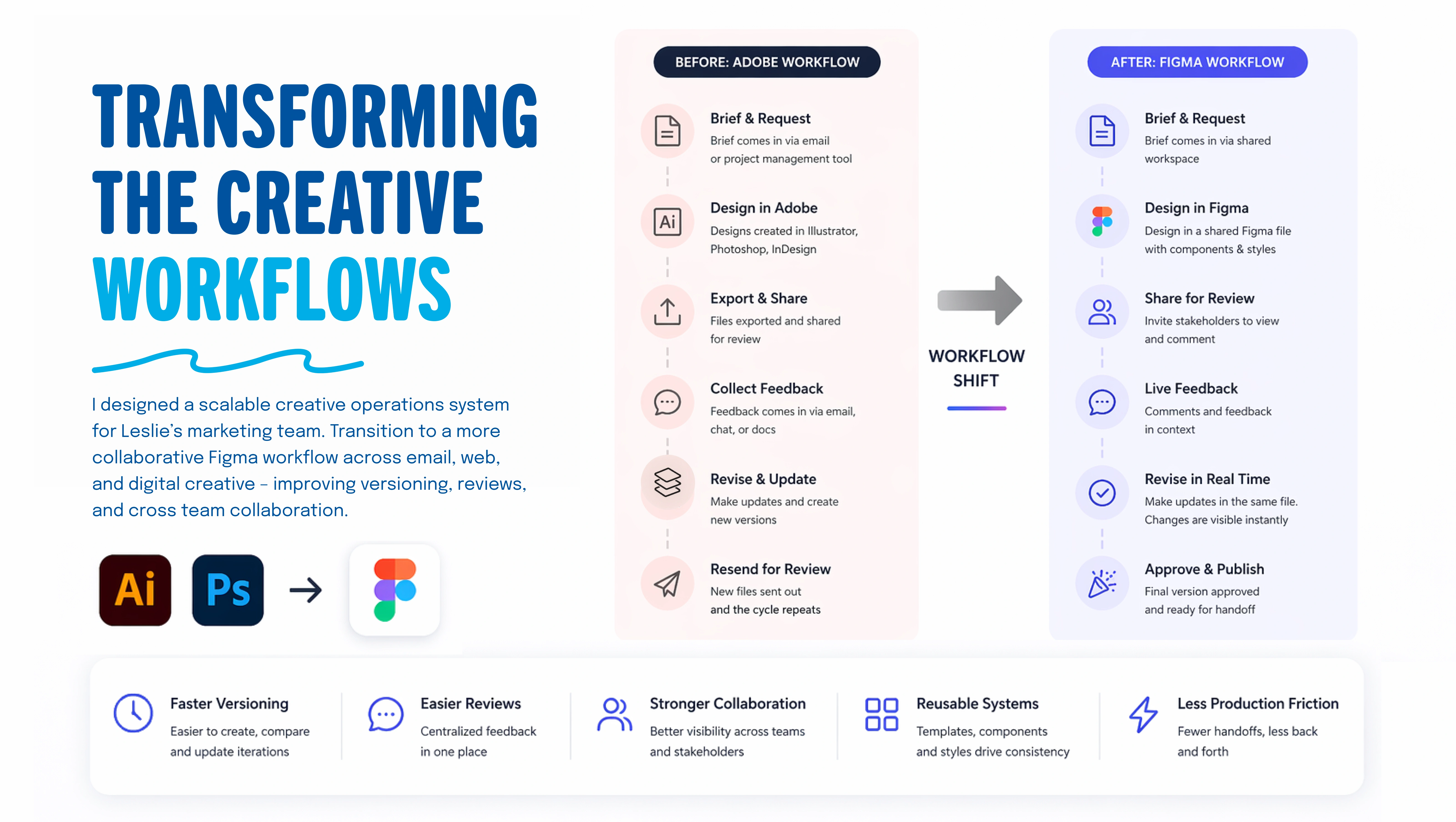
Make the current work easier to find and review.
The existing process relied on separate Adobe files, exported proofs, and feedback spread across email, chat, and documents. Each revision created another file to share, making it harder for teams to identify the current version and follow decisions.
I focused on the coordination around creative production: where work lives, how feedback reaches the designer, and how teams recognize an approved asset. The transition brought those steps into shared Figma files for email, web, paid social, and campaign work.
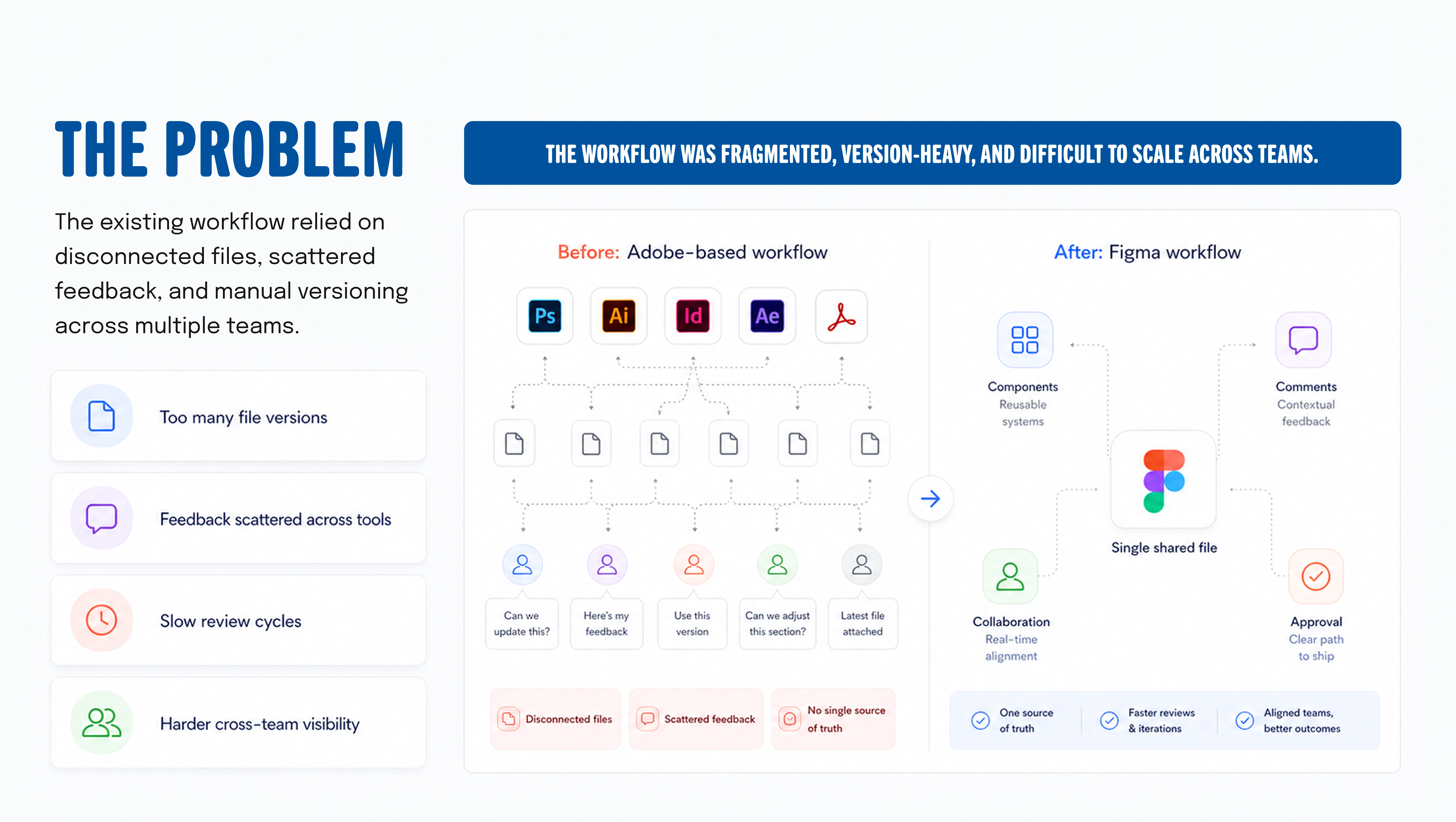
Lead the transition and apply it to real production.
I mapped workflow pain points, defined the transition approach, and built the shared file and library structure. I created reusable patterns for recurring work and helped teams adopt the new review and collaboration process.
My role also included hands-on production. Applying the system to active email, web, and paid social work helped me refine the structure around everyday design needs rather than an idealized process.
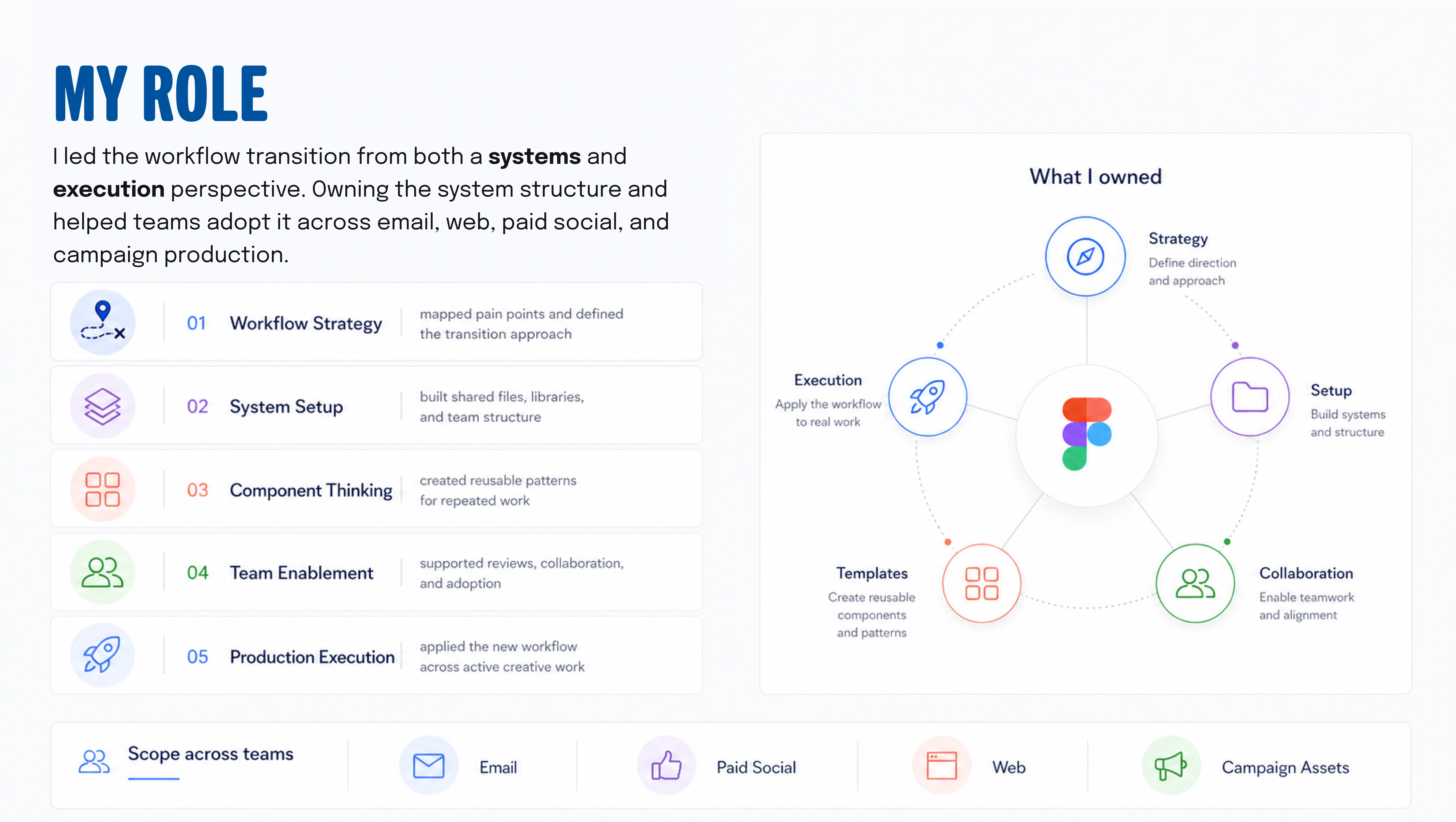
Give assets, active work, and approved creative clear homes.
I organized shared brand libraries, campaign files, reusable templates, and approved assets so teams could find the right resources. Common naming and file structures made the workspace easier to navigate as more campaigns were added.
The library brought logos, colors, graphics, styles, and recurring design elements together. Designers could start from shared resources while adapting layouts to the message and channel. This was a creative production system supporting campaign work across the team.
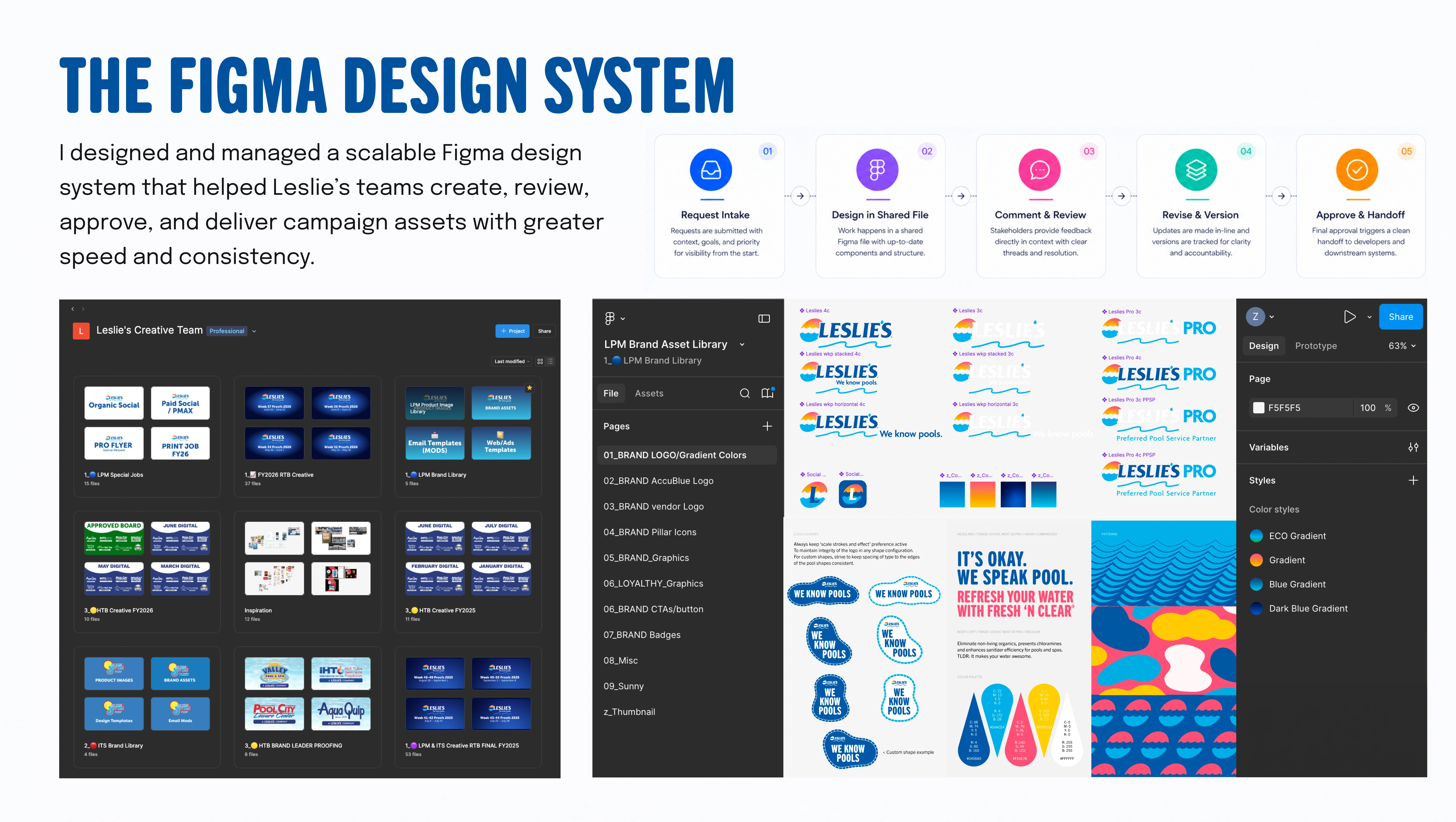
Keep feedback connected to the work.
The workflow follows a clear sequence: receive the request, design in a shared file, gather comments, revise, and move approved creative into handoff. Reviewers can see the work in context, and designers can address feedback without sending a new exported proof for every change.
I connected review areas, design templates, and approved asset libraries so the team could distinguish work in progress from final creative. The examples show how that structure supported recurring email and web campaign production.
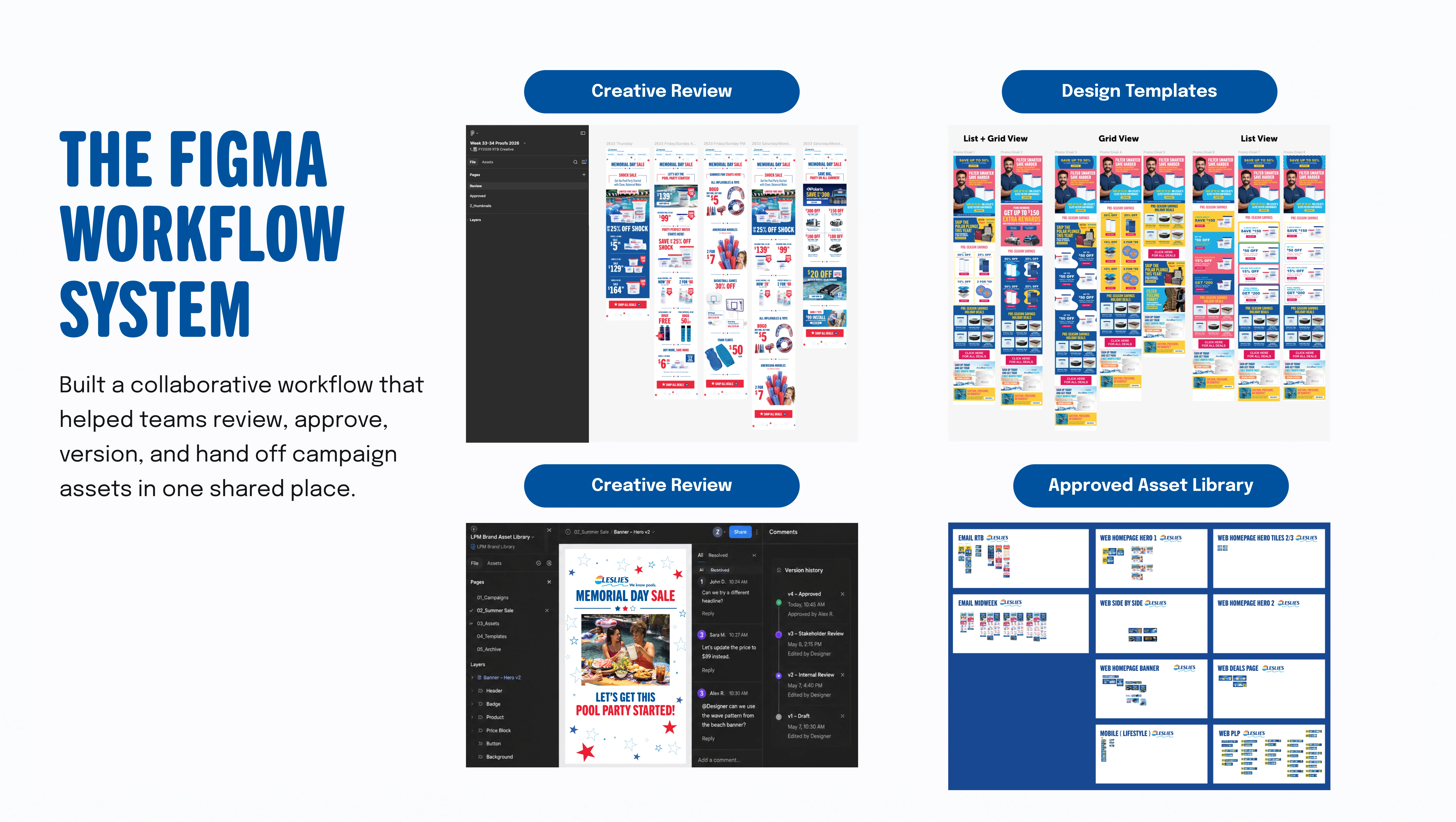
A common process for creating and delivering campaign work.
The transition established a shared workspace with reusable libraries, consistent file organization, and a defined review path. Teams had a clearer place to find current work, contribute feedback, and locate approved assets.
The practical benefits were easier version tracking, more visible reviews, and less repeated setup for recurring creative.
The migration began in 2023 and continued to evolve with production needs. The screenshots show the system as it developed through subsequent campaign work.
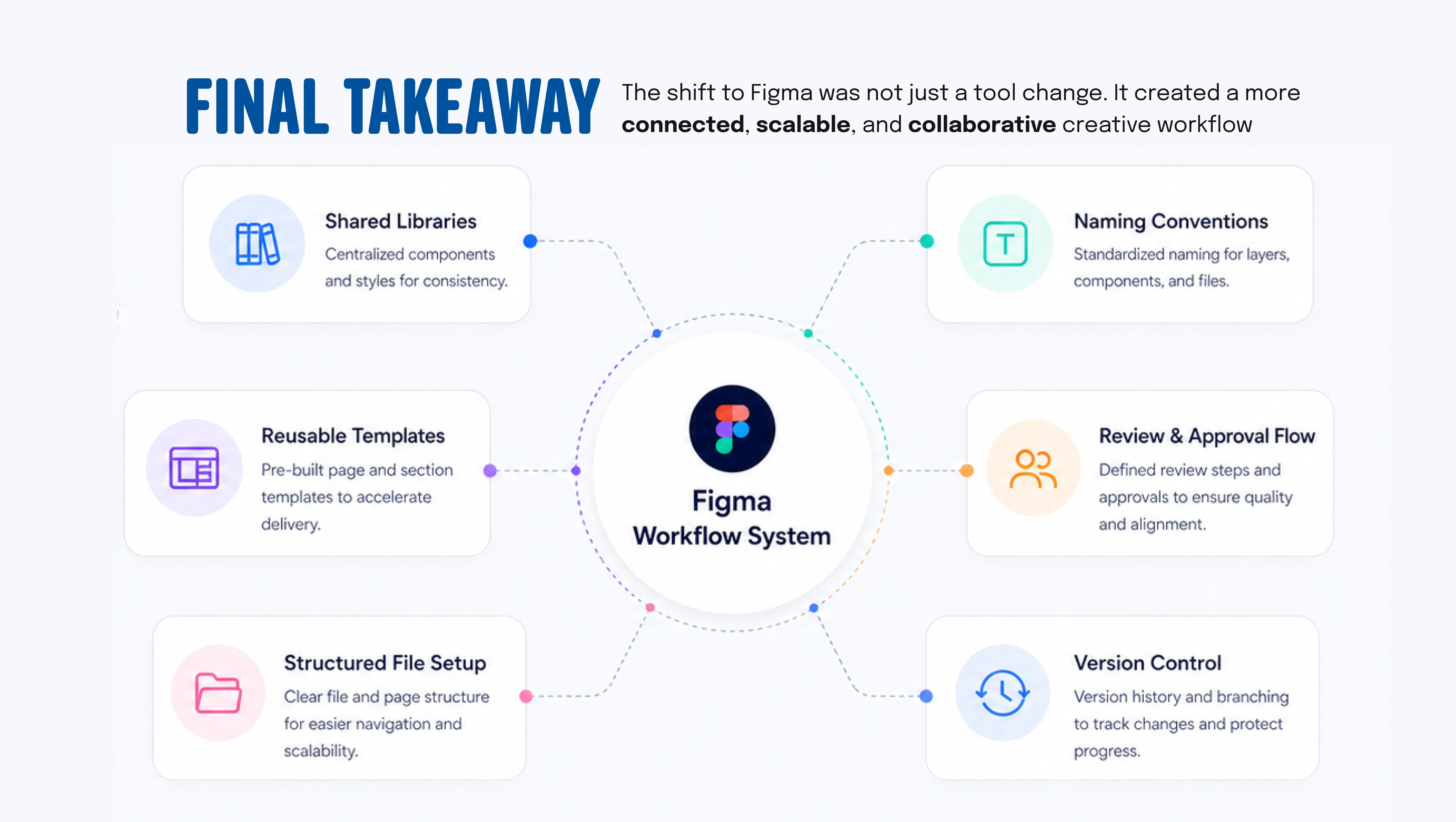
Adoption depends on flexibility.
The initial structure was too restrictive for some production needs. Allowing more component properties to be edited gave designers room to adapt the work while keeping shared foundations intact. A useful system needs to support the people using it, as well as the brand.